
Bubble letter fonts turn a plain word into something that looks inflated, soft, and fun, the same style kids doodle in notebook margins. They are the go-to choice for birthday signs, classroom posters, Cricut shirts, Canva social posts, and any project that needs a cheerful headline. Below you will find 18 bubble letter fonts from our library, from puffy display faces to rounded sans fonts that are easier to read. Nine of them are open-source and free for commercial use, so you can sell what you make. We also cover how to build layered bubble letters in Canva and Cricut, smart pairings, and a quick license guide.
18 Best Bubble Letter Fonts
1. Rubik Bubbles
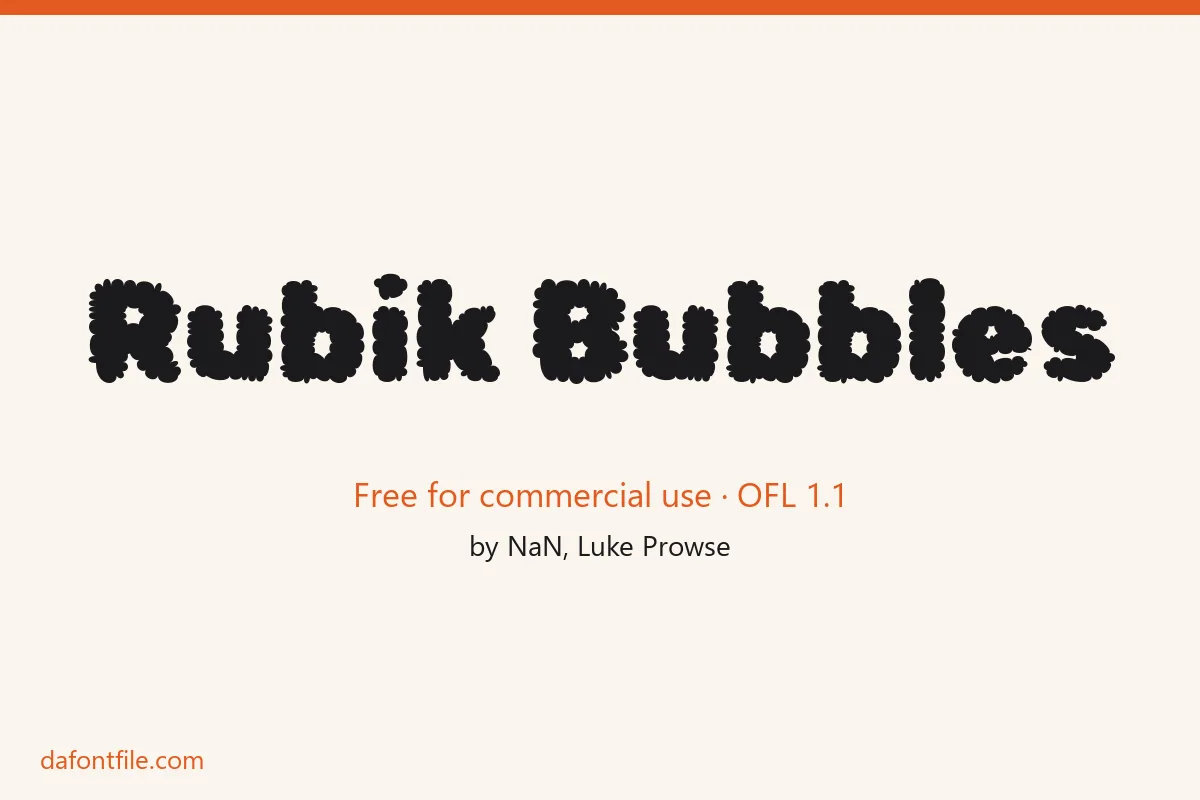
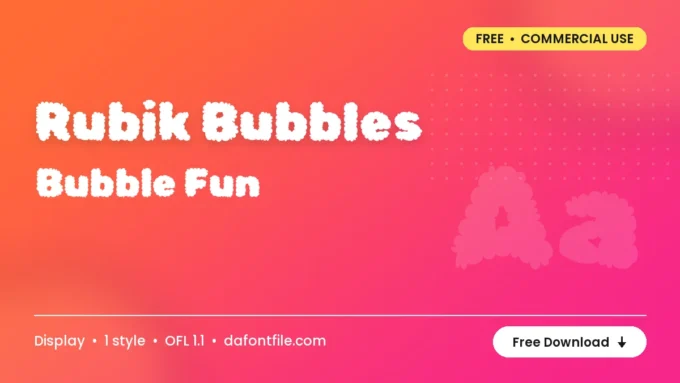
Rubik Bubbles is the closest thing to classic hand-drawn bubble letters among free bubble letter fonts. It takes the Rubik family and swaps every stroke for inflated, overlapping circles, so each word looks blown up like a balloon. Type a short name or a two-word headline and the letters do the decorating for you, with no extra effects needed.
Best for: birthday banners, kids’ party signs, Cricut name decals | License: Free for commercial use | View Rubik Bubbles
2. Double Bubble

Double Bubble is a fluffy display typeface where each letter floats on its own, slightly bouncing off the baseline. It ships with a regular and an outline version, which makes it ideal for layered two-color designs: stack the outline over the solid style and you get a sticker-like bubble letter look in seconds.
Best for: layered HTV shirts, stickers, playful logos | License: Check license | View Double Bubble
3. Luckiest Guy

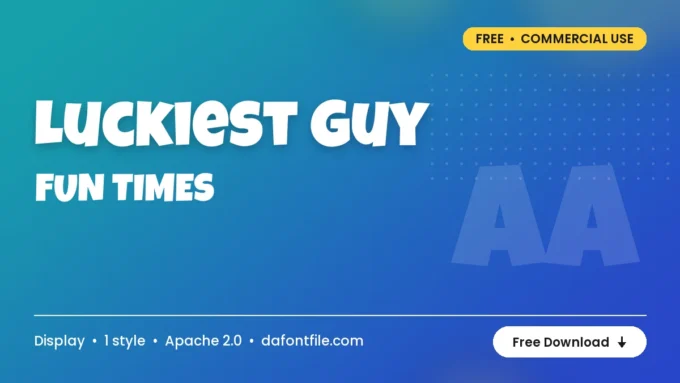
Luckiest Guy is a friendly heavyweight sans inspired by hand lettering from 1950s advertisements. The letters are thick, slightly tilted, and full of comic-book energy. It is all caps by design, so it works best for short, loud phrases like “Happy Birthday” or “Game Day” where you want maximum punch from a distance.
Best for: posters, YouTube thumbnails, sports signs | License: Free for commercial use | View Luckiest Guy
4. Fredoka

Fredoka is a big, round, bold font made for fun headlines. Its soft terminals and generous curves give it a bubbly feel without sacrificing readability. Because it is a variable font with weight and width axes, you can push it from friendly and light to extra chunky, making it one of the most flexible rounded options here.
Best for: Canva social posts, classroom decor, kids’ brands | License: Free for commercial use | View Fredoka
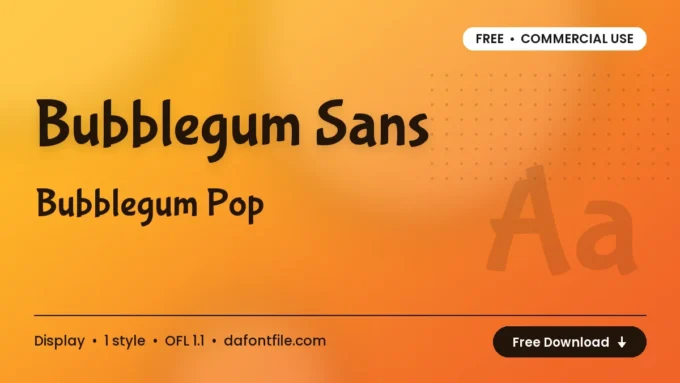
5. Bubblegum Sans
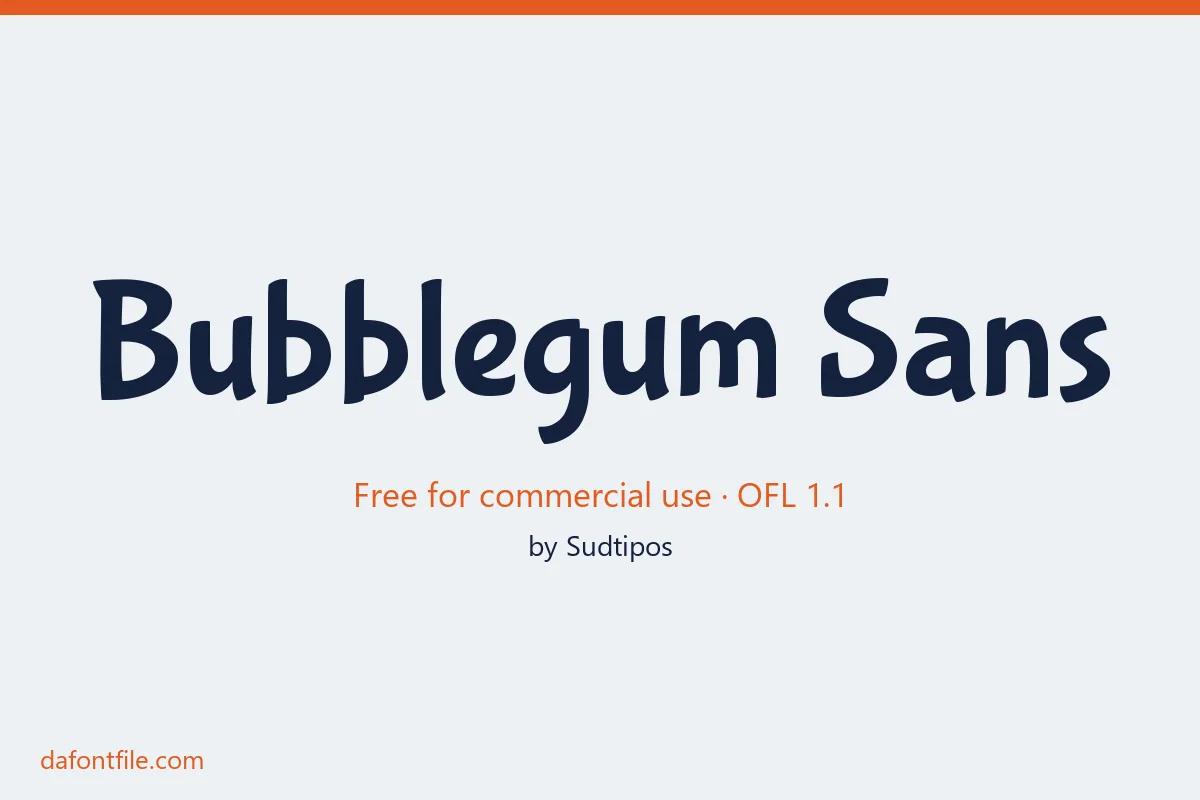
Bubblegum Sans is an upbeat, brush-flavored display face that echoes 1930s sign lettering. The strokes swell and taper slightly, so words feel hand-painted and bouncy rather than mechanical. It pairs a retro look with clean shapes, which helps it stay legible on small Cricut cuts as well as big printed posters.
Best for: candy shop signs, party invites, retro labels | License: Free for commercial use | View Bubblegum Sans
6. Blum

Blum is a bubble font aimed at lovely logotypes and display work. Its thick, rounded letterforms read instantly at large sizes, so it suits marketing graphics that need to grab attention. Use it for a single bold word on a banner or as the hero line of a social graphic, then keep the supporting text simple.
Best for: logos, promo graphics, eye-catching headers | License: Check license | View Blum
7. Baloo 2

Baloo 2 is an affable display typeface by Ek Type with a soft, rounded build and a warm personality. It covers nine Indian scripts plus Arabic and Latin, so it is a strong pick for multilingual party signs. The heavier weights give you chunky bubble letters, while lighter ones handle body text cleanly.
Best for: multilingual signs, kids’ books, app headers | License: Free for commercial use | View Baloo 2
8. Lilita One
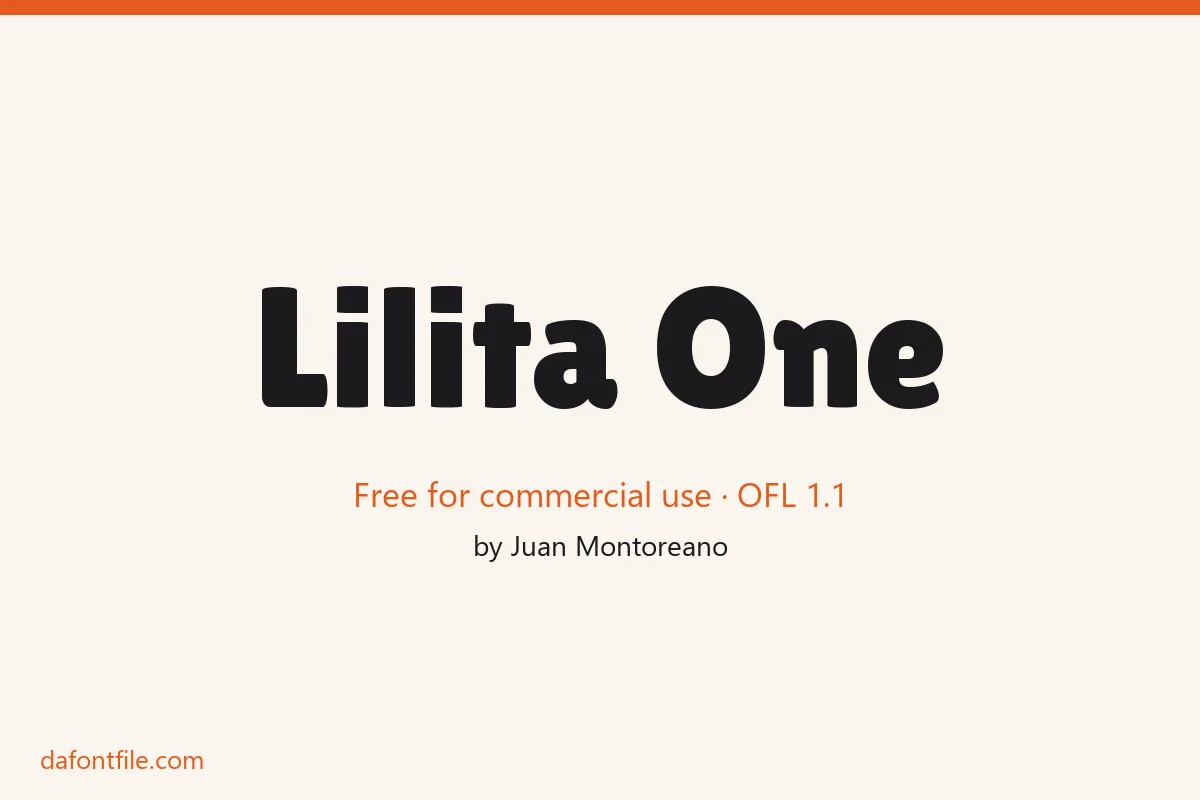
Lilita One is a fat display typeface with a slightly condensed structure and soft details. Because it is narrower than most bubble letter fonts, it fits longer words on a single line without shrinking too much. That makes it handy for banners, tumblers, and narrow Cricut projects where horizontal space is limited.
Best for: tumblers, banners, poster headlines | License: Free for commercial use | View Lilita One
9. Remock

Remock is a retro bubble display font with a Y2K mood. The swollen letterforms bring back early-2000s pop graphics, which is why it suits trendy merch and nostalgic social content. It includes uppercase, lowercase, and multilingual characters. The download page marks it for personal use, so check the license before selling anything.
Best for: Y2K designs, Instagram graphics, personal crafts | License: Check license | View Remock
10. Comfortaa
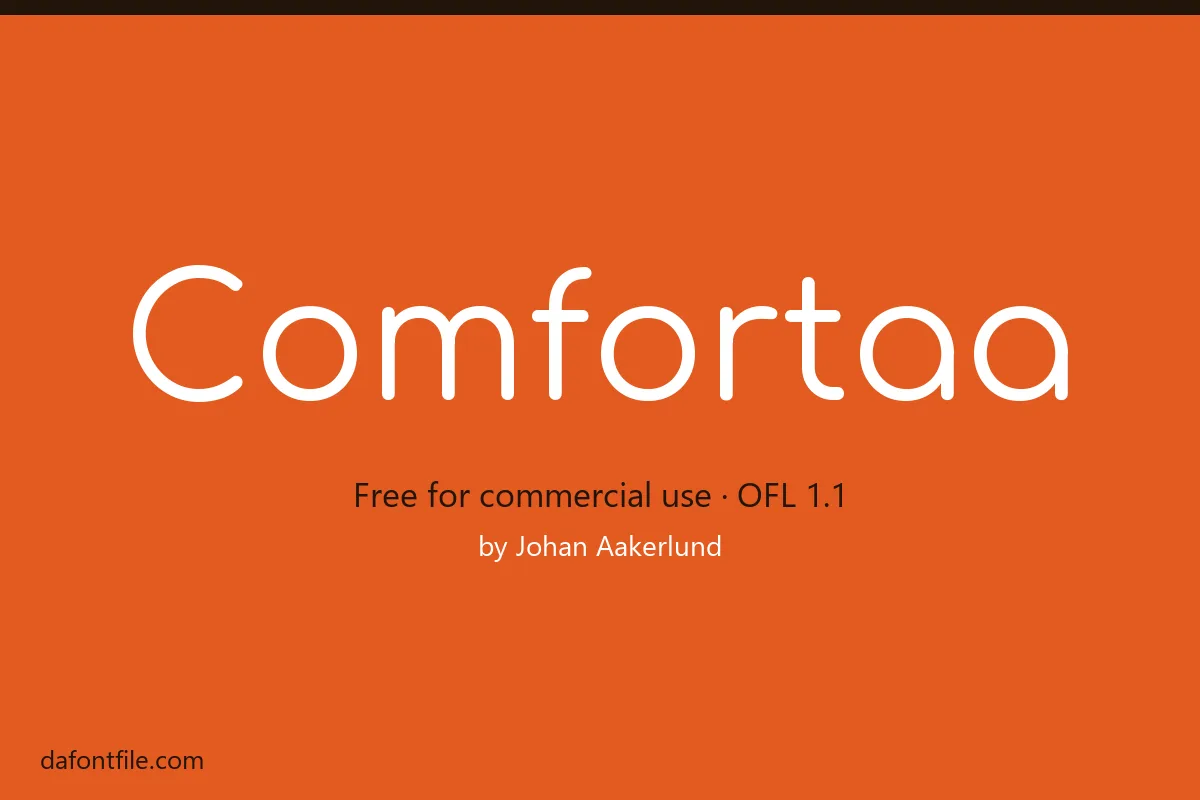
Comfortaa is a rounded geometric sans intended for large sizes. Its circles and smooth arcs feel friendly and modern rather than cartoonish, so it is a good choice among bubble letter fonts when you want soft letters with a cleaner, more grown-up finish. It also works well as a secondary font next to a puffier headline face.
Best for: baby shower signs, modern logos, minimal posters | License: Free for commercial use | View Comfortaa
11. Righteous
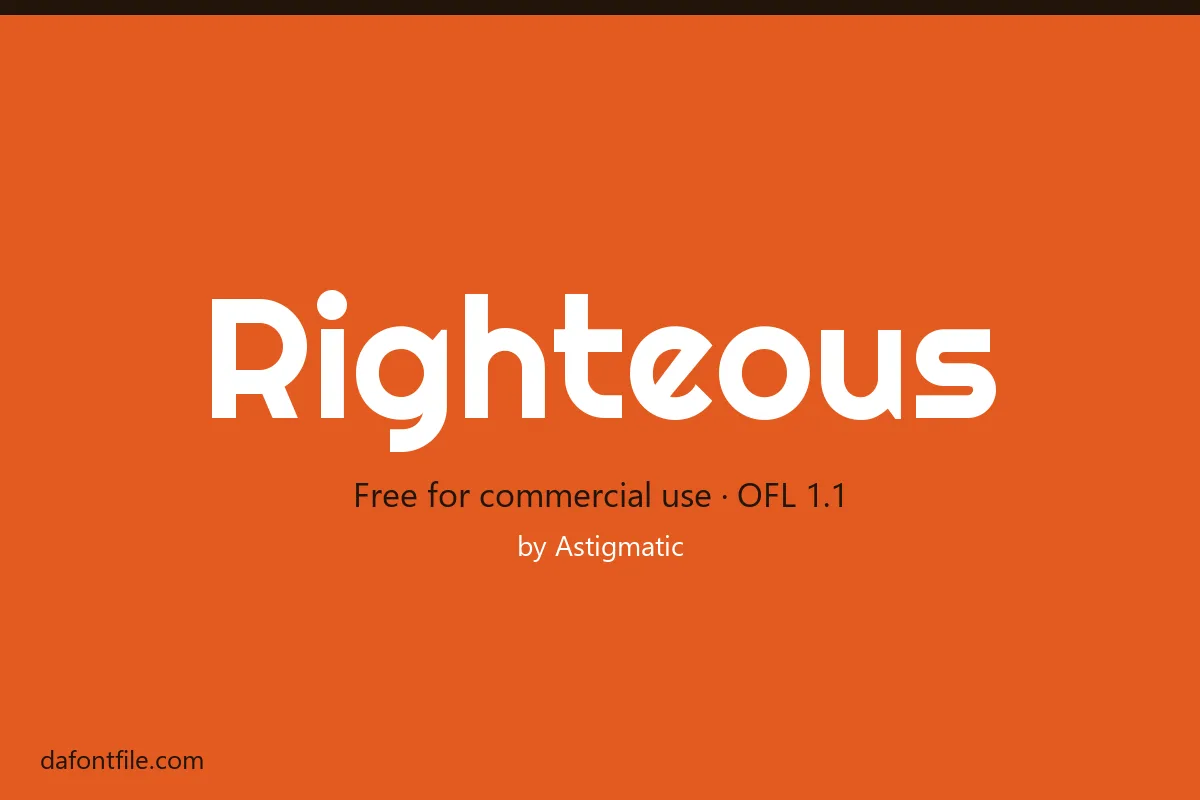
Righteous was inspired by deco poster capitals and built on a geometric grid. The rounded corners and thick strokes give it a retro, bubbly edge, while the full lowercase keeps it readable. It is a smart pick when you want bubble letter energy with a 1970s or arcade-style twist instead of a cartoon look.
Best for: retro posters, roller-skate party signs, band shirts | License: Free for commercial use | View Righteous
12. Bookochi

Bookochi is a rounded, playful display typeface inspired by Korean pop culture and Hangul script shapes. The letters feel soft and fruity, which suits K-pop fan art, snack branding, and bright social graphics. It also works as a web font, so you can carry the same look from print to your website.
Best for: fan art, snack labels, social media headers | License: Check license | View Bookochi
13. Zilla

Zilla is a chunky, thick, and quirky display typeface with a regular and a rounded flavor. The rounded style is the one to grab for bubble letters: heavy shapes with softened corners that hold up well on covers and thumbnails. Its bold mass also cuts cleanly on vinyl without thin, fragile parts.
Best for: book covers, thumbnails, vinyl decals | License: Check license | View Zilla
14. Nunito
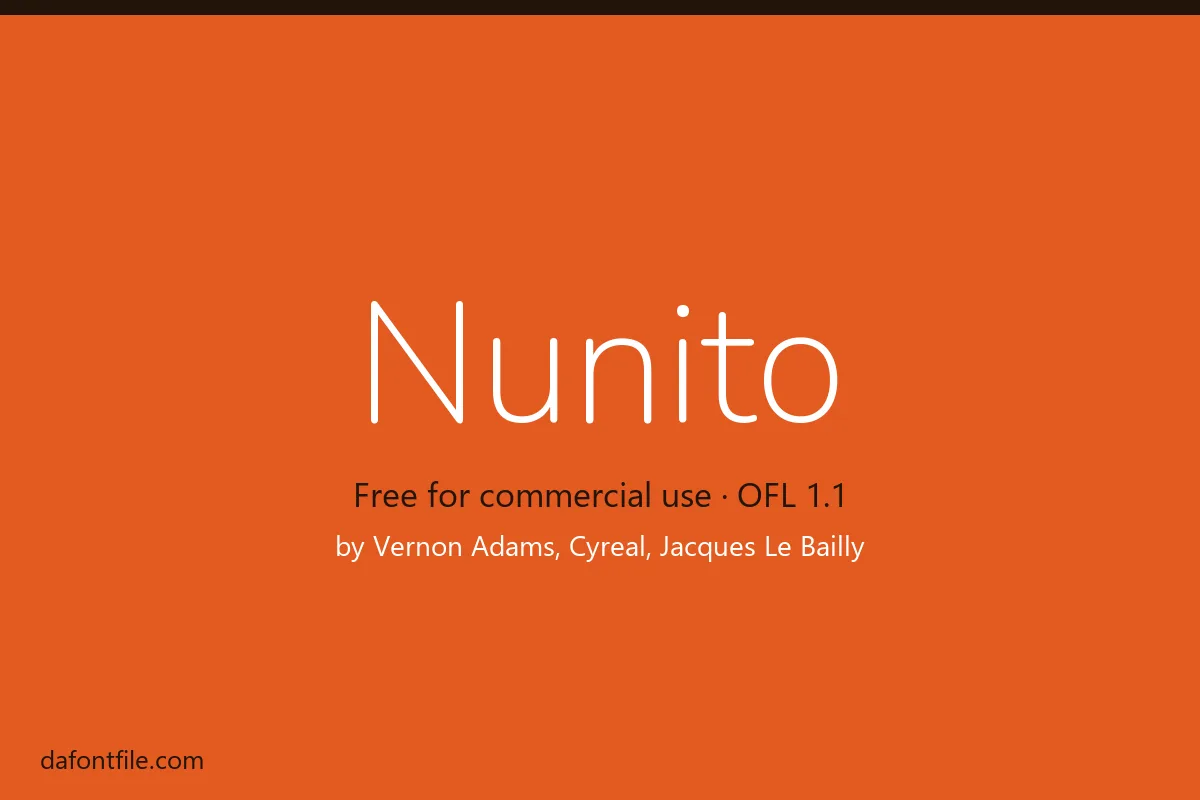
Nunito began as a rounded-terminal sans for display typography and grew into a full family of weights. It is far more restrained than true bubble letters, but its heavy weights look soft and friendly. Use Nunito Black for a cute, readable headline, or pair the regular weight with a puffier display font.
Best for: body text, classroom printables, font pairing | License: Free for commercial use | View Nunito
15. Dried Bold
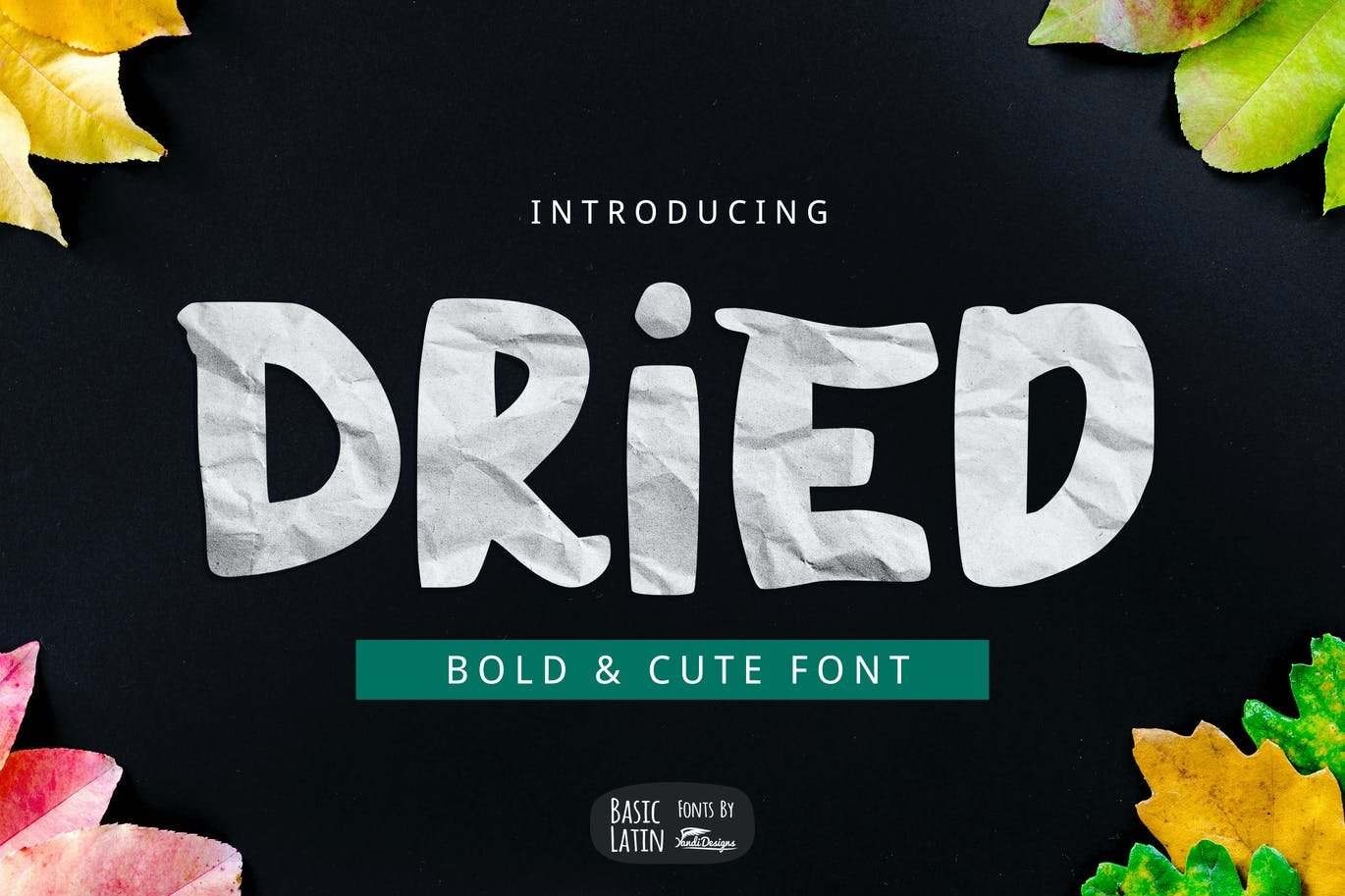
Dried Bold is a simple, bold, and cute multipurpose font. Its chunky letters have a hand-drawn quality that feels at home in children’s books, quotes, and title cards. The relaxed shapes look natural when cut on a Cricut, especially if you add an offset layer to frame each word.
Best for: children’s books, quote art, kids’ crafts | License: Check license | View Dried Bold
16. Apple Juice

Apple Juice is a simple, cute font for signatures, quotes, logos, doodles, and headings. It is softer and lighter than heavy bubble faces, giving a sweet, handmade look. Choose it when you want the rounded charm of bubble letter fonts in a more delicate style, such as a nursery print or a gift tag.
Best for: gift tags, nursery prints, doodle notes | License: Check license | View Apple Juice
17. Half Blvd Display

Half Blvd Display is an industrial-style sans with bold, soft, rounded-edge strokes and a few ligatures. It sits between bubble letters and street signage, so it brings a cool, urban feel to posters and logos. It supports more than 100 languages, which helps when one design needs several versions.
Best for: movie-style titles, logos, social graphics | License: Check license | View Half Blvd Display
18. Karl Zone

Karl Zone is a bold, chunky display font with tight spacing and large shapes, made for sizes above 72pt. It is heavier and more aggressive than most bubble letter fonts, so it fits sports, gaming, and event graphics where you want strength along with a puffy silhouette. Keep phrases short for the best results.
Best for: gaming banners, team shirts, event posters | License: Check license | View Karl Zone
How to make bubble letters in Canva and Cricut
Even the best bubble letter fonts look better with a little layering. These steps work in both Canva and Cricut Design Space.
- Pick a rounded font. Start with a puffy face such as Rubik Bubbles, Fredoka, or Luckiest Guy. Heavy weights with round terminals give the cleanest bubble shape.
- Tighten the spacing. Reduce letter spacing so the letters touch or slightly overlap. In Cricut, select the text and use Weld afterward so the word cuts as one piece.
- Add an outline or offset. In Cricut Design Space, select the text, click Offset, set about 0.1 to 0.2 inch with rounded corners, and apply. In Canva, open Effects and try Outline, Splice, or Hollow to create the border.
- Layer two colors. Put a white or light offset behind a bright main color. For vinyl or HTV, cut each layer separately and press the base layer first.
- Add a drop shadow. In Canva, use the Shadow effect with a low blur, or duplicate the text, shift it down and right, and color it darker. In Cricut, duplicate the offset layer and nudge it for a shadow cut.
Keep phrases short. Bubble letters need room, so two to four words per line usually looks best on shirts, cake toppers, and signs.
Bubble letter font pairings
- Rubik Bubbles + Nunito: a fully inflated headline with a soft, readable sans for dates, names, and details on birthday invites.
- Luckiest Guy + Comfortaa: loud comic-style caps up top and a clean rounded geometric font underneath, great for posters and event flyers.
- Double Bubble + Baloo 2: layered fluffy letters for the main word and a friendly, chunky sans for supporting text on shirts and stickers.
As a rule, use only one of your bubble letter fonts per design and let a calmer rounded sans do the rest of the work.
Free for commercial use
Nine fonts on this list (Rubik Bubbles, Luckiest Guy, Fredoka, Bubblegum Sans, Baloo 2, Lilita One, Comfortaa, Righteous, and Nunito) are released under open-source licenses: the SIL Open Font License or Apache 2.0. Those licenses let you use the fonts on products you sell, such as shirts, mugs, Etsy printables, and client logos. You just cannot sell the font files themselves. The other bubble letter fonts are often personal use only, so check the license on each font page before selling anything.
Premium bubble fonts
Need a bubble font with extras like built-in outline and shadow layers, alternates, or a clear commercial license for a brand? Premium marketplaces offer polished options. You can browse bubble fonts on Envato.
More font guides
FAQ
What is the best free bubble letter font?
Rubik Bubbles is the best free pick if you want true inflated bubble letters with no extra effects. If you need something more readable, Fredoka is a strong alternative. Both are open-source and free for commercial use, so you can use them on products you sell.
Can I use bubble letter fonts in Canva?
Yes. Canva already includes several open-source bubble letter fonts, and with a Canva Pro account you can upload other OTF or TTF files through Brand Kit. Then add the Outline, Splice, or Shadow effect to make the letters look even puffier.
How do I make bubble letters on a Cricut?
Install the font on your computer, then select it from System fonts in Cricut Design Space. Reduce letter spacing, weld the word, and use the Offset tool to add a rounded border. Cut the offset and the letters in two colors and layer them.
Are bubble letter fonts free for commercial use?
Some are. Fonts released under the SIL Open Font License or Apache 2.0, such as Luckiest Guy, Baloo 2, and Lilita One, allow commercial use. Many decorative bubble letter fonts are personal use only, so read each license before selling shirts, signs, or printables.


Leave a comment