
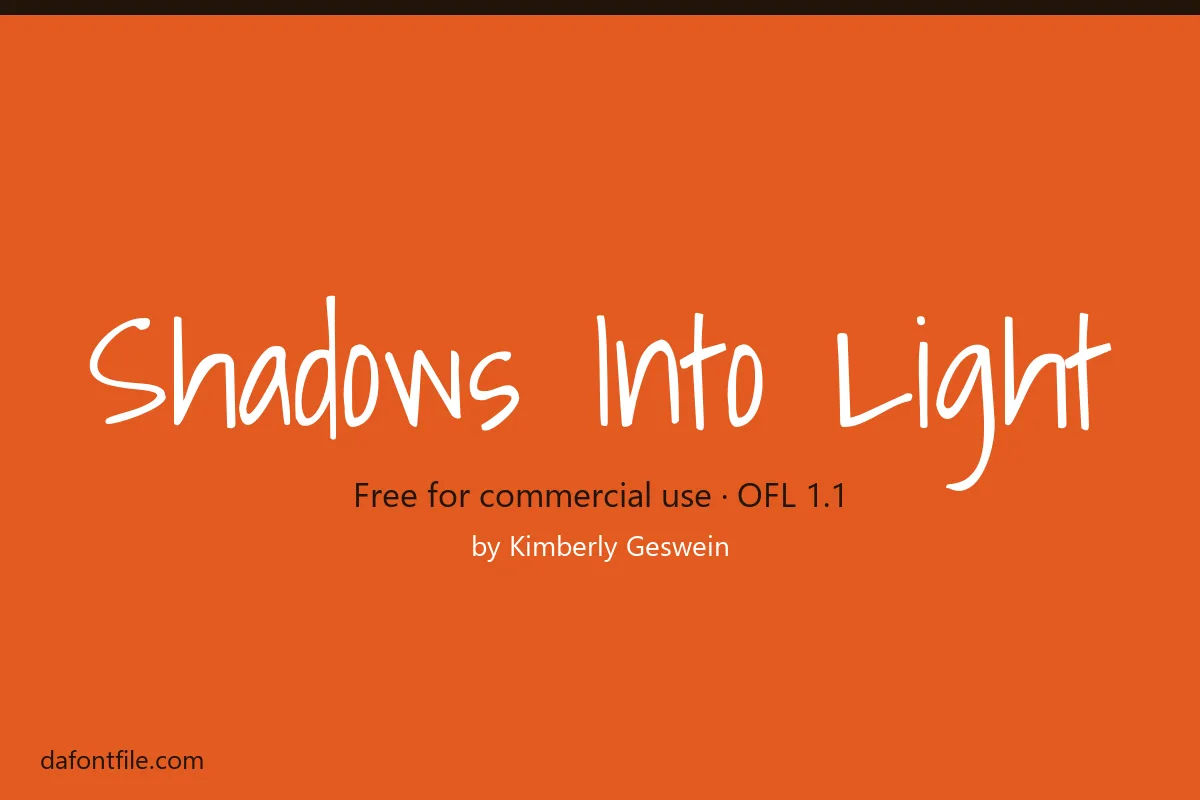
Shadows Into Light Font is a clean, neat handwriting typeface with soft, rounded curves and a light, airy feel. It looks like careful print handwriting, adding a personal touch without getting messy. It comes in one Regular style and is free for commercial projects under the SIL Open Font License.
About the Shadows Into Light Font
Shadows Into Light was designed by Kimberly Geswein, an American designer known for her many handwriting fonts. The letters are tall and thin, with rounded edges and loose, unconnected forms that make the writing feel relaxed and genuine. Generous spacing keeps it readable at small sizes on screen and in print.
The Shadows Into Light font was added to Google Fonts in 2011 and has stayed popular for projects that need a warm, human voice. It has a soft, slightly feminine character, and its simplicity means it rarely overwhelms a layout. Think of it as the neat handwriting of someone writing a thoughtful note rather than a quick scribble.
Designed by Kimberly Geswein. Official page: Shadows Into Light on Google Fonts.
Key Features
- 1 style: Regular 400
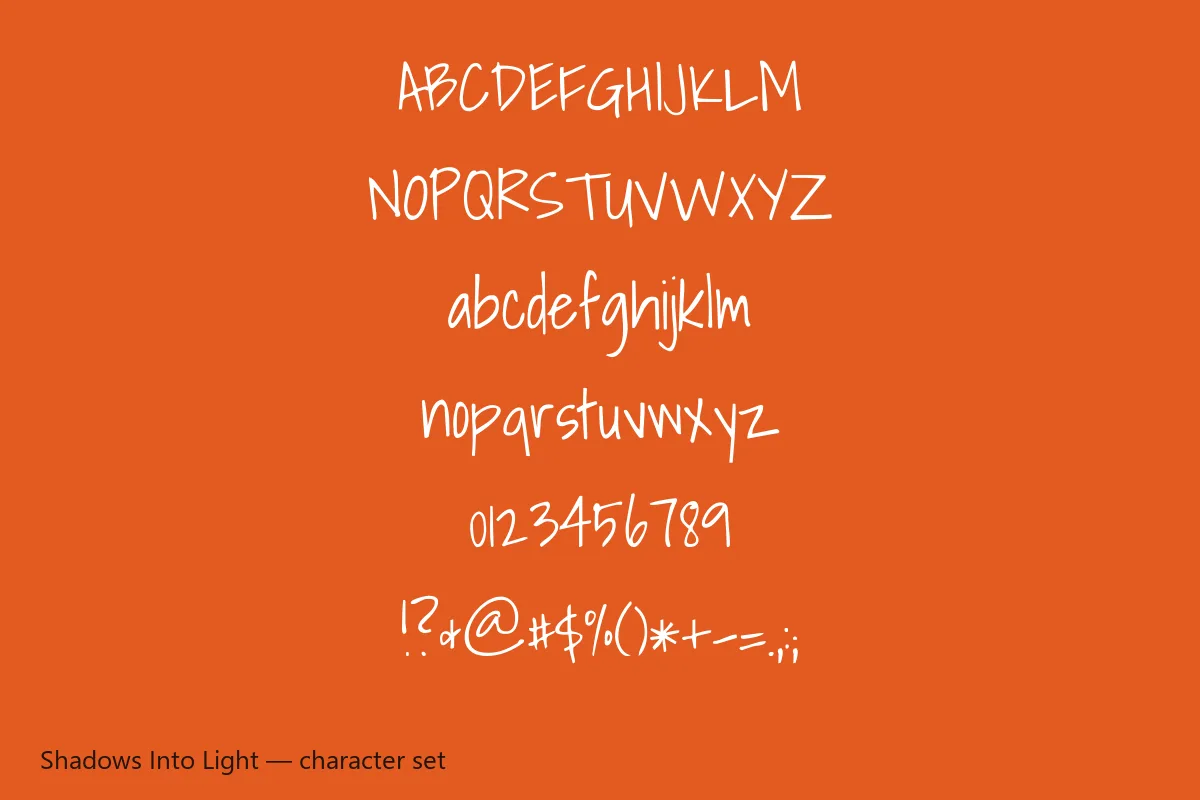
- Thin, rounded, unconnected print-handwriting letterforms
- Language support: Latin and Latin Extended
- File format: TTF (static)
- Licensed under the SIL Open Font License 1.1, free for commercial use
Best Uses and Pairings
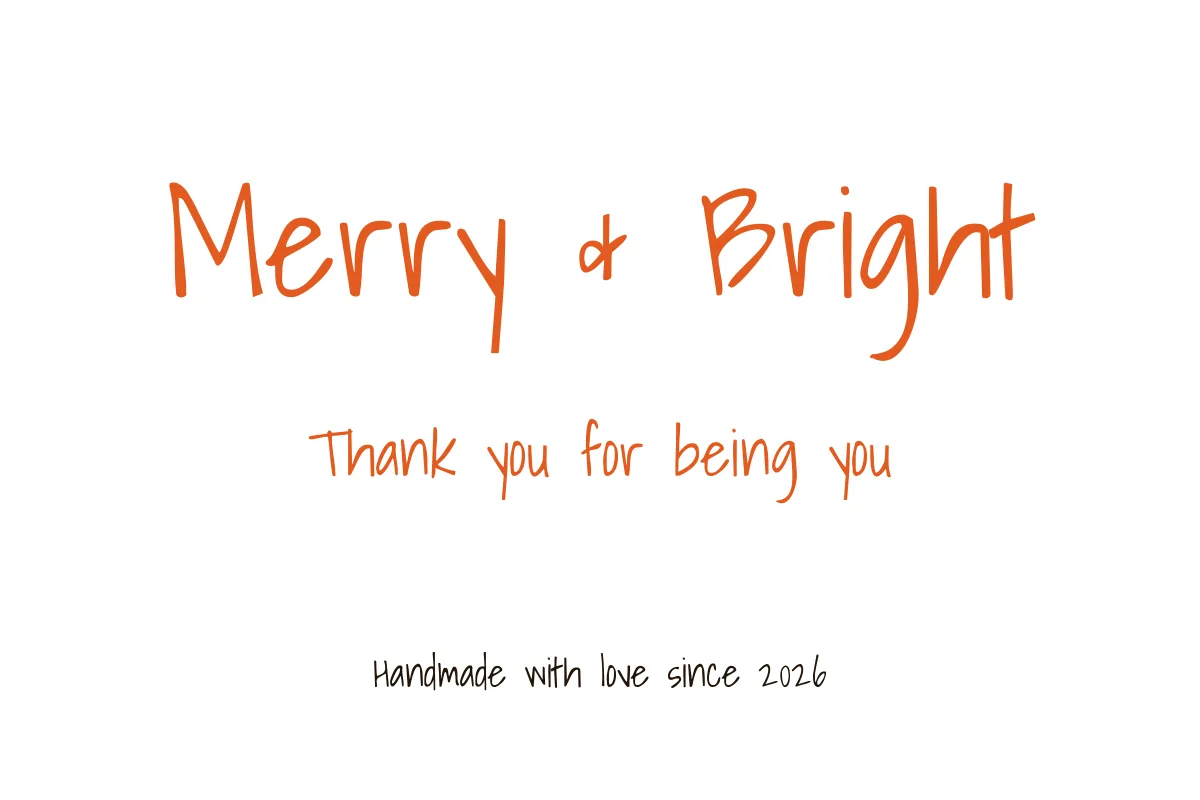
The Shadows Into Light font is a good fit for scrapbook pages, baby books, planner stickers, teacher printables, and handwritten-style labels for jars and gift boxes. Etsy sellers use it on thank-you cards and digital downloads. It also works for Canva posts and blog quotes. In Cricut projects, use larger sizes or the Draw function, since thin strokes are delicate to cut.
Shadows Into Light pairs nicely with Poppins, which gives headings and body copy clean structure while the handwriting adds warmth. For a traditional look, use Playfair Display for titles and keep Shadows Into Light for captions.
Browse more Script & Handwritten Fonts.
License: SIL Open Font License 1.1 — free for personal and commercial use.
Shadows Into Light font is licensed under the SIL Open Font License 1.1, so you can use it free in personal and commercial projects like logos, products, websites, and print. You can't sell the font files by themselves. The license file is included in the download.
How to Download Shadows Into Light Font
The download includes the Shadows Into Light font files (TTF), the SIL Open Font License 1.1 text and a README with the official source. Unzip it, then install the font on Windows (right-click > Install) or Mac (double-click > Install Font).
Download Shadows Into Light Font
Shadows Into Light Font FAQ
Is Shadows Into Light font free for commercial use?
Yes. It's released under the SIL Open Font License 1.1, so you can use it in printables you sell, branding, packaging, and websites at no cost. You can't sell the font files by themselves.
Can I use Shadows Into Light with the Cricut pen tool?
Yes. Install the TTF, restart Design Space, and select it from System fonts. Because the strokes are thin, setting the operation to Draw with a fine-tip pen often looks cleaner than cutting.
Does Shadows Into Light support accented letters?
Yes. It includes Latin Extended, which covers accented characters used in many European languages such as Spanish, French, German, and Polish, in addition to basic English.



Leave a comment